AI agents are becoming the new boardroom shortcut.
Ask around and you will hear the same goals: automate customer support, speed up finance checks, qualify leads, generate reports, monitor operations, or help employees make faster decisions. The promise sounds simple. Give an agent a goal, connect it to tools, and let it work.
The reality is less glamorous.
Most agents do not fail because the model is weak. They fail because the work around them is messy. The data lives in too many places. The approval path is unclear. No one knows who owns the result. The agent can draft, summarize, classify, or trigger a task, but the business process around it still depends on manual fixes and informal judgment.
That is why the next phase of AI adoption will not be won by companies with the most agents. It will be won by companies with the clearest workflows.
DataDrivenInvestor has already covered why companies need to build AI into workflows, not just products. That point matters because agents are not standalone magic. They are only useful when they sit inside a process that already knows what good work looks like.
The agent is not the workflow
An AI agent can plan tasks, call tools, use data, and take action within a defined scope. That sounds powerful, but it also creates a common mistake: teams start with the agent instead of the process.
A support team might say, “Let’s build an agent that handles tickets.” That is too broad. A better starting point is: “Which ticket types are repetitive, low-risk, and have clear resolution rules?” The second question creates a workflow boundary. The first creates a vague demo.
The same pattern appears in sales, finance, HR, and operations. A sales agent cannot qualify leads well if the company has no shared definition of a qualified lead. A finance agent cannot flag invoice risk if vendor records are inconsistent. A hiring agent cannot screen resumes fairly if role criteria are unclear.
The agent exposes the weak parts of the process. It does not hide them.
McKinsey’s 2025 State of AI research found that high-performing AI companies are more likely to redesign workflows while using AI, rather than treating AI as a bolt-on tool. That is the practical divide. One group uses AI to speed up old habits. The other uses AI to rethink how work should move.
Why agents look better in demos than in daily work
Most agent demos are built around clean paths. The user asks a clear question. The data is available. The tool access works. The decision is obvious. The output looks impressive.
Daily work rarely behaves like that.
A customer request might include missing details. A CRM field may be outdated. A refund may need policy judgment. A supplier may have two names across different systems. A compliance rule may depend on geography. A manager may want to review only high-risk cases, not every case.
This is where agent design becomes workflow design.
A useful workflow tells the agent what to do when confidence is low, when data is missing, when a rule conflicts with another rule, or when the action has financial, legal, or customer impact. Without those paths, the agent either stops too often or acts too freely.
Both are expensive.
Gartner has predicted that over 40% of agentic AI projects may be cancelled by the end of 2027 because of rising costs, unclear value, and poor risk controls. That number should not scare teams away from agents. It should push them to define the work before they automate it.
The workflow layer decides the value
Think of the workflow layer as the operating system around the agent. It decides:
What data the agent can access
Which tools it can use
What actions it can take without approval
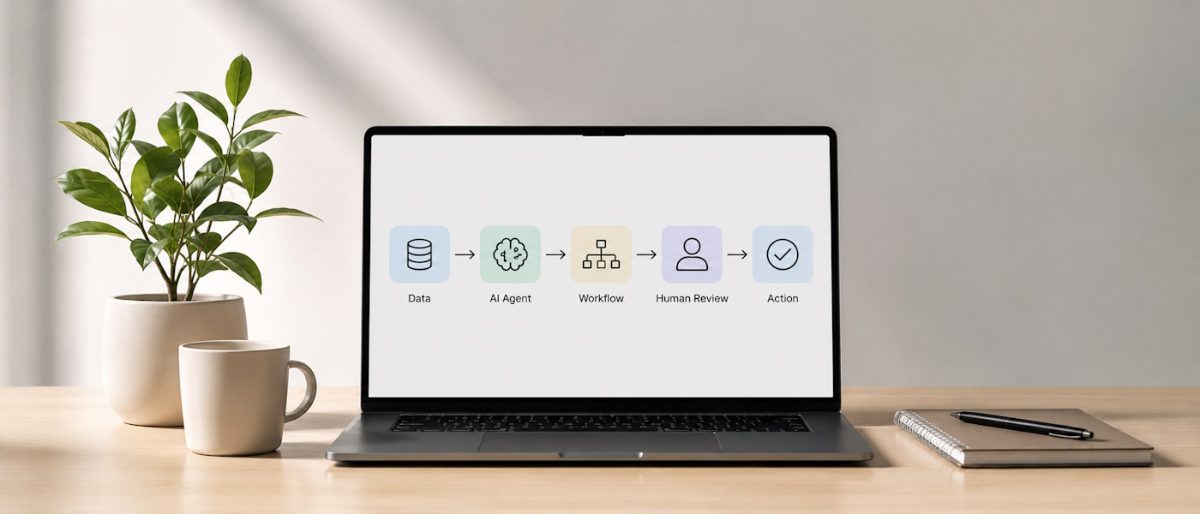
When a human must review the output
How success is measured
Where logs and audit trails are stored
Who owns failures, fixes, and updates
This layer is often more important than the model choice.
A smaller model inside a well-designed workflow can outperform a more advanced model inside a chaotic process. Why? Because business value comes from completed work, not isolated answers.
For example, an agent that summarizes sales calls is useful. An agent that summarizes the call, updates the CRM, flags next steps, drafts a follow-up email, and routes high-intent leads to the right person is far more useful. The difference is not just AI quality. It is workflow quality.
That is why tools such as n8n, Zapier, Make, LangGraph, and custom orchestration layers are getting more attention. They help teams connect triggers, apps, data, approvals, and AI steps into a repeatable flow. For teams exploring self-hosted or custom workflow automation, this guide to n8n automation services gives a useful view of how these connected workflows can be planned and delivered.
The key is not the tool itself. The key is whether the tool helps the business make work visible, repeatable, and measurable.
The best first agent is usually boring
A mistake many companies make is starting with the flashiest use case.
They want an autonomous strategy agent, a sales closer, a legal reviewer, or a customer service agent that handles everything. These projects are appealing, but they often carry too much ambiguity.
The better first use case is usually boring.
Invoice matching. Lead enrichment. Meeting note routing. Ticket classification. Report generation. Data cleanup. Contract clause extraction. Inventory alerts. Renewal reminders.
These workflows share a few traits. They are repetitive. They have clear rules. They create measurable time savings. They allow human review at the right points. They generate useful logs. They also help the team learn how agents behave inside real systems before moving to higher-risk tasks.
DataDrivenInvestor’s piece on the gap between AI adoption and AI that actually works makes a similar point: production value comes from bounded use cases, clear ownership, and measurable outcomes.
That is not as exciting as a fully autonomous AI worker. It is more likely to survive contact with the business.
Human review is not a weakness
There is a strange belief that an AI agent is only successful if it removes people from the process. That is rarely true in serious business settings.
Human review is not a failure mode. It is a design choice.
The best workflows decide where people add judgment and where machines should handle repetitive work. A support agent can draft a refund decision, but a human might approve unusual cases. A finance agent can flag duplicate invoices, but a finance manager might review high-value payments. A compliance agent can classify risk, but legal teams may handle borderline cases.
This approach creates trust because the workflow is honest about risk.
It also creates better feedback. When humans review agent outputs, they generate signals that improve prompts, rules, data quality, and routing logic. Over time, the workflow becomes more reliable because the business learns from actual decisions, not just test cases.
A recent DDI article argued that agents were the hype, workflows are real. That framing is useful. The market may talk about autonomy, but most businesses need controlled autonomy first.
The data problem is really a workflow problem
Many teams say their AI project is blocked by bad data. That is partly true, but bad data often comes from bad workflows.
A CRM becomes unreliable because sales reps do not update fields during the real sales process. Support tags become inconsistent because agents use different labels. Product feedback gets lost because it sits across chats, tickets, spreadsheets, and calls. Finance data gets messy because vendor onboarding was never standardized.
AI agents depend on these inputs. If the workflow creates weak data, the agent inherits that weakness.
This is why AI readiness should include a workflow audit. Before building an agent, teams should ask:
Where does the data enter the process?
Who checks it?
Which fields are required?
Where does the data move next?
Which systems hold duplicate records?
Which decisions depend on this data?
What happens when the data is wrong?
These questions are not glamorous, but they decide whether the agent can act with confidence.
A practical way to design agent-ready workflows
Teams do not need a massive AI roadmap to get started. They need one workflow that is worth fixing.
Start by mapping the process from trigger to outcome. For example, a customer submits a support ticket, the system classifies it, the agent checks account history, a draft reply is created, a human reviews edge cases, and the final response is sent.
Then mark each step as one of four types:
Rule-based work
Pattern-based work
Judgment-based work
Relationship-based work
Rule-based and pattern-based steps are strong AI candidates. Judgment-based steps need human review or clear approval thresholds. Relationship-based steps usually need human ownership, especially in sales, support, partnerships, and employee matters.
Next, define failure paths. What should the agent do when a field is missing? What if the confidence score is low? What if the customer is high-value? What if the action could create legal or financial risk?
Finally, define metrics before launch. Time saved is useful, but it is not enough. Track error rates, review rates, escalation rates, customer satisfaction, cycle time, cost per task, and rework. An agent that saves time but creates more corrections is not a win.
The real AI advantage is operational discipline
The companies that gain from agents will not be the ones that chase every new model release. They will be the ones that build operational discipline around AI.
That means clear process maps. Clean data handoffs. Defined permissions. Human review where needed. Logs. Security checks. Business owners. Measurable outcomes. Regular tuning.
This is slower than launching a demo. It is faster than cleaning up a failed deployment.
AI agents are powerful, but they are not a replacement for process thinking. They are a test of it. When the workflow is unclear, the agent becomes another layer of confusion. When the workflow is clear, the agent becomes leverage.
The question leaders should ask next
The best question is not, “Where can we add an AI agent?”
The better question is, “Which workflow is clear enough, repetitive enough, and valuable enough that an agent could improve it safely?”
That shift changes the conversation. It moves AI from hype to operating model. It forces teams to define value before building. It makes governance part of the design, not a late-stage concern. It also helps leaders avoid the trap of buying tools before understanding the work.
AI agents will keep getting better. Models will reason better. Tools will connect faster. Costs will change. New platforms will appear.
But the core lesson will stay the same: agents do not create value alone. They create value when the workflow around them is ready.
Frequently Asked Questions
Why do most AI agents fail in practice?
Most AI agents fail not because the underlying model is weak, but because the workflows around them are messy. Issues like scattered data sources, unclear approval processes, and undefined ownership cause agents to depend on manual fixes and informal judgment rather than operating effectively on their own.
What's the difference between building an agent and building a workflow?
An agent is a tool that can plan tasks and call functions within a defined scope, but it's not a complete solution. A workflow is the surrounding process that defines clear boundaries, rules, and expectations. Companies that succeed with AI agents start by redesigning their workflows first, not by deploying agents as standalone tools.
How should companies decide which tasks to automate with agents?
Instead of asking broadly what an agent can do, companies should ask specific questions like which ticket types are repetitive, low-risk, and have clear resolution rules. This boundary-setting approach prevents vague implementations and ensures the agent operates within a well-defined process.
What happens when a company has inconsistent data or unclear rules?
Agents expose weak parts of processes rather than hiding them. For example, a finance agent cannot flag invoice risk if vendor records are inconsistent, and a sales agent cannot qualify leads well if there's no shared definition of a qualified lead. The agent cannot work around these underlying problems.
Why do AI agents perform better in demos than in real daily work?
Demos are built around clean paths with clear questions, available data, and obvious decisions. Real work involves missing details, outdated information, policy judgment calls, and inconsistent data across systems. Useful workflows must tell agents what to do when confidence is low and handle these real-world complexities.
Which companies will win in the next phase of AI adoption?
According to McKinsey's 2025 research, the companies that will win are those with the clearest workflows, not the most agents. High-performing AI companies redesign workflows while using AI rather than treating AI as a bolt-on tool to speed up old habits.

As a writer at WeblineIndia, I bridge the gap between complex tech concepts and everyday understanding, making innovation accessible to all. With a background rooted in custom software development, I dive deep into trends, breakthroughs, and emerging technologies, translating them into enlightening articles.