
Identifying disaster-related tweets using deep learning and natural language processing with Fast Ai
I’m still taking the Fast Ai course and can’t stop thinking how easily you can make an effective deep learning model with just a few lines of code. I’ve been learning about the text module of the Fast Ai library, which contains all the necessary functions to create a convenient dataset and a model for different Natural Language Processing(NLP) tasks. NLP has been an area that always catches my attention. One of the most popular uses cases in NLP is identifying when a movie review is positive or negative, a problem known as sentiment analysis. So, I thought about what could be done with this tool that can contribute to a social good cause. The first thing that comes to my mind was to analyze tweets, specifically something related to disasters. I will create a sentiment analysis model, but instead of classifying between positive and neutral, it will classify tweets and figure out if they are disaster-related or not. This could be a great strategy for improving disaster response and keep this information to extract locations and events that are a priority and save time and resources for them. The figure below shows how a sentiment analysis model works: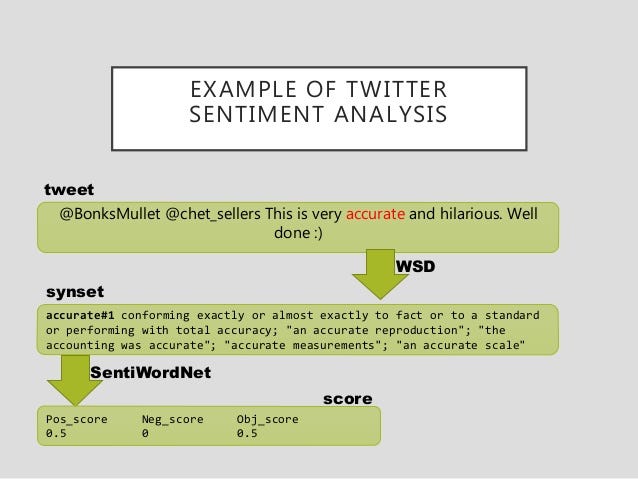
- Download and explore the “Disasters on social media” dataset
- Getting the data ready for modeling
- Fine-tuning a language model
- Building the classifier to detect if a tweet has disaster topics in it
from fastai.text importNow, I will define a path where the dataset is located:
path = '/content/'
path
Exploring the “Disasters on social media” dataset
Let’s check the first rows of the dataset to see what we will be working with:df = pd.read_csv(path + 'disaster_tweets.csv') df.head()
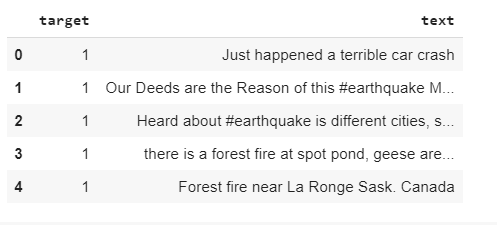
df.info()
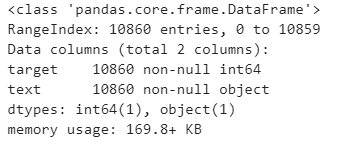
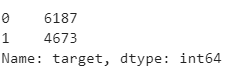
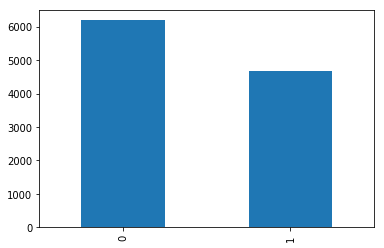
df[‘target’].value_counts()The dataset has a total of 18,860 tweets, 6,187 disaster-related and 4,673 that aren’t related.
df['target'].value_counts().plot(kind='bar')
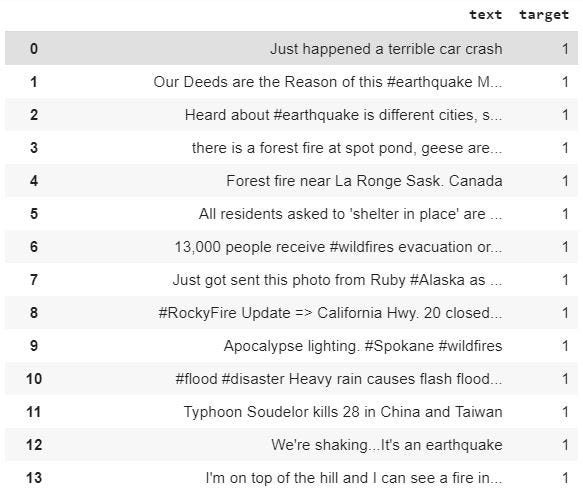
df[df['target']== 1][['text','target']]
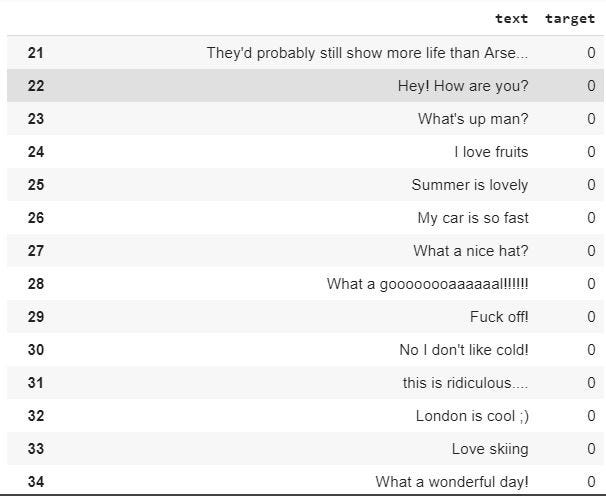
df[df['target']== 0][['text','target']]
Getting the data ready for modeling
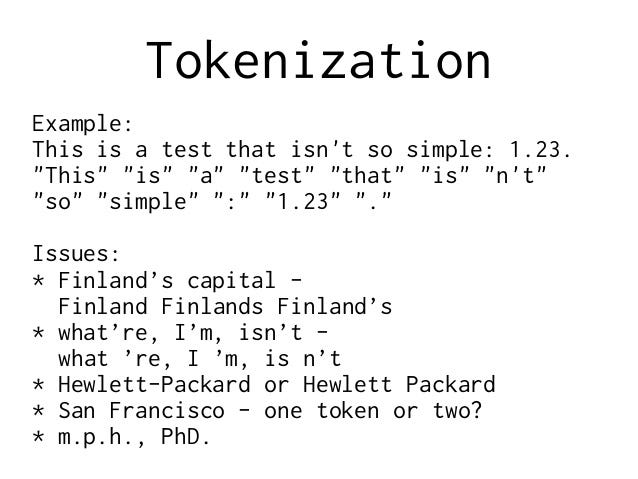
The data needs to be preprocessed in order to feed an NLP model. In computer vision models, we need to convert those images into a simple array of numbers. Working with text data is a little bit different from that. The process starts when we change the raw text to a list of words or tokens, this is called “Tokenization” and lastly, transform those tokens into numbers, which is a process called “numericalization”. These numbers are the ones passed to embedding layers that will convert them into arrays of floats before feeding them to the model.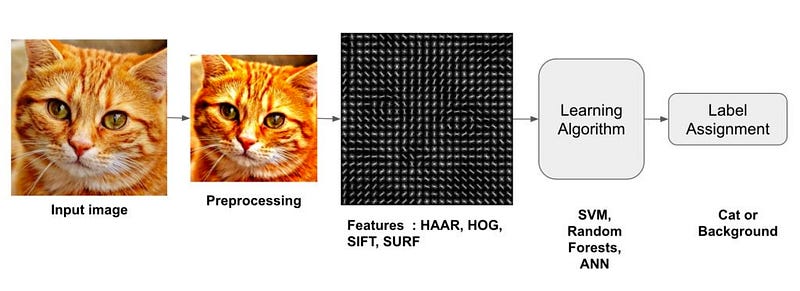
TextLMDataBunch and TextClassDataBunch
I will need two methods of from_csv for the following reasons: to get the data ready for a language model (TextLMDataBunch) and to get the data ready for a text classifier (TextClassDataBunch). The lines below do all the necessary to preprocess the data. For the classifier, I’m also passing the vocabulary that I want to use. In the vocabulary, I’m assigning ids to the words. So data_class will use the same dictionary as data_lm.# Language model data data_lm = TextLMDataBunch.from_csv(path, 'disaster_tweets.csv') # Classifier model data data_clas = TextClasDataBunch.from_csv(path, 'disaster_tweets.csv', vocab=data_lm.train_ds.vocab, bs=32)Let’s save the results to use them in the next lines:
data_lm.save('data_lm_export.pkl')
data_clas.save('data_clas_export.pkl')
Now, I can reload those results with:
data_lm = load_data(path, 'data_lm_export.pkl')
data_clas = load_data(path, 'data_clas_export.pkl', bs=16)
Fine-tuning a language model
We use pre-trained models for computer vision tasks because they are trained on big images datasets, so we adapt them for a new task, which is the kind of images we want to classify. Examples: ResNet, DenseNet VGG16, etc. This is called “Transfer Learning”. Text Models have a hard time while trying to classify text. Can we use transfer learning for NLP tasks? yes, we can. Jeremy and his friend Stephen Merity from Fast Ai announced the development of the AWS LSTM language models which was a dramatic improvement over previous approaches to language modeling. A language model is an NLP model which learns to predict the next word in a sentence. For instance, if your mobile phone keyboard guesses what word you are going to want to type next, then it’s using a language model. The reason this is important is that for a language model to be really good at guessing what you’ll say next, it needs a lot of data. Example: “I ate a hot” → “dog”, “It is very hot” → “weather”)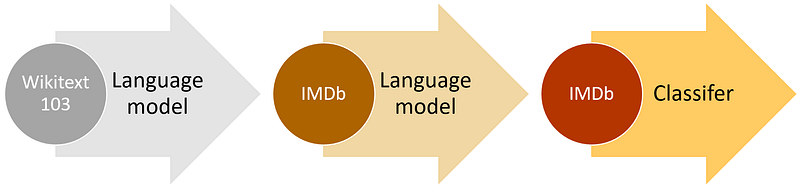
learn = language_model_learner(data_lm, AWD_LSTM, drop_mult=0.5)
learn.fit_one_cycle(1, 1e-2)

learn.predict("there is", n_words=10)

learn.save_encoder('ft_enc')
Building the classifier to detect disasters topics on tweets
I will use the data_class object created earlier to build the classification model with the fine-tuned encoder. The learner object can be created with the next line:learn = text_classifier_learner(data_clas, AWD_LSTM, drop_mult=0.5)
learn.load_encoder('ft_enc')
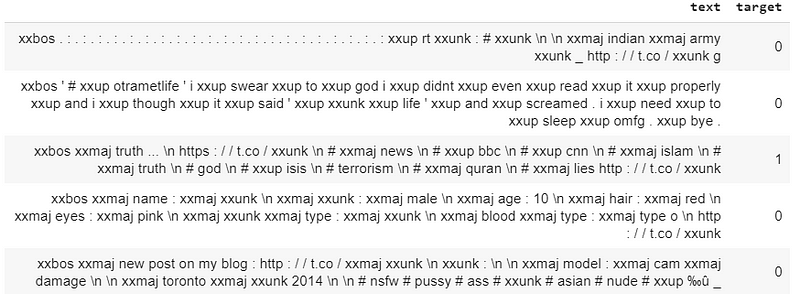
Let’s see a small batch of the dataset:
data_clas.show_batch()
learn.fit_one_cycle(1, 1e-2)

learn.freeze_to(-2)
learn.fit_one_cycle(1, slice(5e-3/2., 5e-3))

learn.unfreeze()
learn.fit_one_cycle(1, slice(2e-3/100, 2e-3))

learn.predict("Assistance from across Canada and as far away as Mexico have joined #ForestFire fighting efforts in the #Northeast Region. Mexican fire crews arrived at Sudbury July 20, and are deployed to fires around the region. #Ontario")
(Category 1, tensor(1), tensor([0.0767, 0.9233]))
learn.predict(‘Interpreters needed to support rescue efforts in México. #EarthquakeMexico’)(Category 1, tensor(1), tensor([0.2381, 0.7619]))
learn.predict('Oaxaca, Mexico: A new 6.1-magnitude quake has shaken southern Mexico #EarthquakeMexico #Oaxaca \\ Circa \\')
(Category 1, tensor(1), tensor([0.3290, 0.6710]))
learn.predict(‘the best thing I’ve ever done, my greatest role in this life #HappyMothersDay’)(Category 0, tensor(0), tensor([0.9648, 0.0352]))
learn.predict('Can you please help me share this message for my mom ? Thanks a lot ?')
(Category 0, tensor(0), tensor([0.9165, 0.0835]))
learn.predict("I'm just trying to take care of her, do my job and be the best Jet I can be. @RetireMoms | #HappyMothersDay")
(Category 0, tensor(0), tensor([0.9160, 0.0840]))
I’m happy with these results. Try your own classification model and share it!
References

A Software Developer with a passion for Machine Learning and Artificial Intelligence, specifically Computer Vision in Healthcare. Viridiana is an active member in Latinas in Tech and Women Techmakers communities. She enjoys creating data-driven projects and sharing what she learn to the world! Self-Learning is key.
More in Alternative Investments
Gold, Silver, Platinum, Palladium, Rhodium: Each Precious Metal Is Precious in Its Own Unique Way
Olegs Jemeljanovs, PhD, CFA·7 min
P2P platforms — the new goldmine for competitive business intelligence
Andrius Palionis·6 min
Alternative Data—a Gold Mine for Real Estate Market Investors
Gediminas Rickevičius·6 min